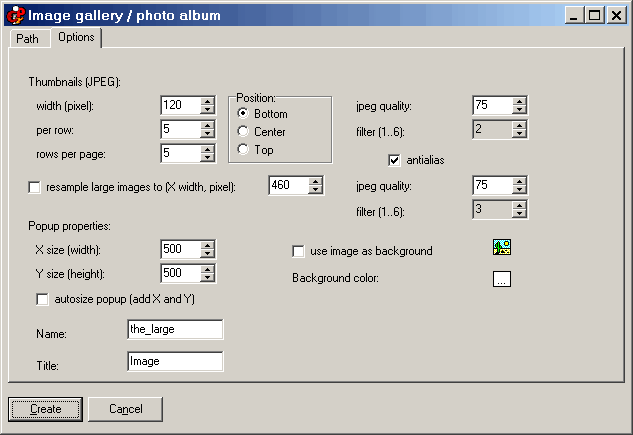
Insert image gallery / photo album, options
Here you can set the options for the thumbnails. You may as well force the program to resample the large image (this may be useful - say your images are 2400 x 1600 and you need images with a more reasonable size such as 640 x 400).
If the thumbnails link to popup dialogs (the popup contains the large image) you can set up the popup properties, including a background image or color.
Within the
first tab you can choose the images to be inserted (they can link to either a simple page, a popup window, or a given frame).
Other easy software from Visual Vision:
CD FrontEnd software makes it easy to write, page, edit, protect and distribute any kind of information on CD, DVD