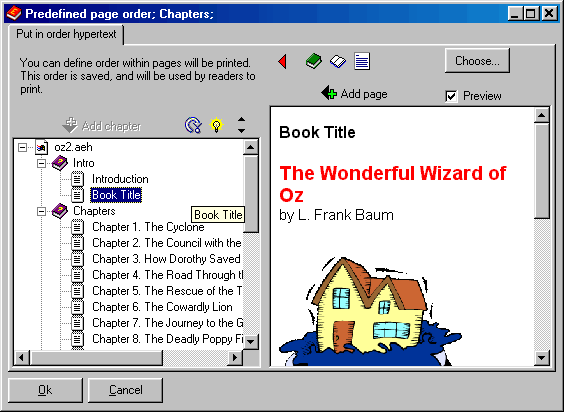
Predefined page order - TOC
With this page you can set up a default order for the printing. This way the reader can print your presentation with a sequential order (you set it). The print obviously must be enabled. Click on the image to get Help:
You can create chapters and subchapters, and you can assign each page to a chapter.
Other easy tools from Visual Vision:
CD FrontEnd software makes it easy to write, protect and distribute any kind of info on a protected autorun CDROM! Professional brochures, cd business cards, catalogs, manuals, depliant, ebrochure, emanual, ecatalog, products items parts catalogues. You can run any kind of external file, too... PDF, PowerPoint, Word, Autocad... It is ok for content rich business brochures, art show catalogs, collections, guides, tourism and travel books, also with audio, video, animations, flash, mpeg wmv avi mp3 and much more... The perfect visual auto run / autoplay / autostart / autoinstall CD ROM presentation software! Free lite edition available.