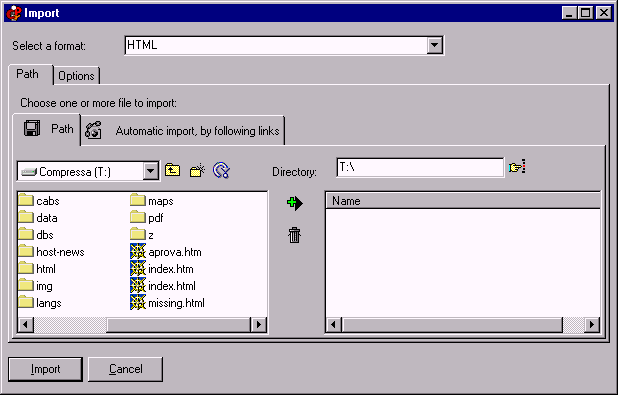
Html import
The Html import is similar to the
RTF one. You may experience some format losses (some editors use tags in a way that’s not perfectly compatible with both NS and IE, so CDFrontEnd tries to import at least the content). There is an option to skip tables when importing (see the “Options” tab). Click on the image to get Help:
Just drag the file to be imported from the left to the right. After the import you might have to use CTRL+ CTRL- to browse pages.
Other easy tools from Visual Vision:
CD FrontEnd software makes it easy to write, protect and distribute any kind of info on a protected autorun CDROM! Professional brochures, cd business cards, catalogs, manuals, depliant, ebrochure, emanual, ecatalog, products items parts catalogues. You can run any kind of external file, too... PDF, PowerPoint, Word, Autocad... It is ok for content rich business brochures, art show catalogs, collections, guides, tourism and travel books, also with audio, video, animations, flash, mpeg wmv avi mp3 and much more... The perfect visual auto run / autoplay / autostart / autoinstall CD ROM presentation software! Free lite edition available.