How to create and link pages, 1
This section will show you, using a simple step-by-step procedure, how to create and link pages.
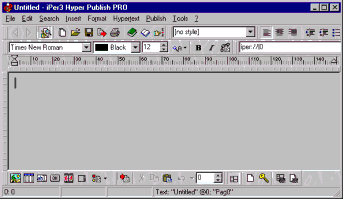
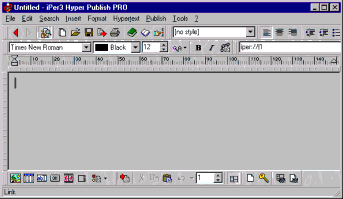
When you run CDFrontEnd from the “Start” menu, the software opens the last edited file, or shows a new presentation/hypertext document. To create a new document, choose “File >New”.
As you can see, the toolbars are very similar to MS Word ones. For the moment, just notice that the white cell at the bottom of the window shows the page number, “0”. As CDFrontEnd manages a whole page set, each page has a name and a number: the name is under the cell (”Untitled”).
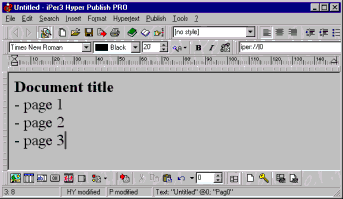
Now let’s write a document that points to some different pages. First, we enter some “dummy” text...
...then we will place a link to the page “Page 1”. This page doesn’t exists, but we don’t need to create it directly (even if it is possible, with “File >Add new page...”), as a page creation can be done simultaneously with a link definition.
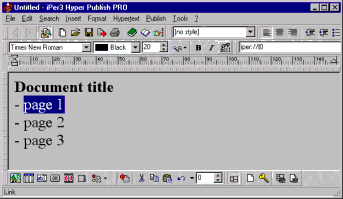
Now we will see how. First, let’s select the text block to be linked...
...then, let’s press the link button in the toolbar (sheet and chain, or “Insert >Link” from the main menu).
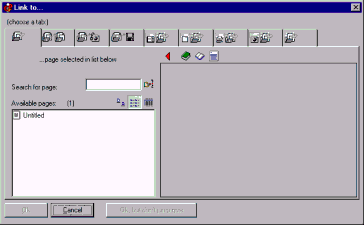
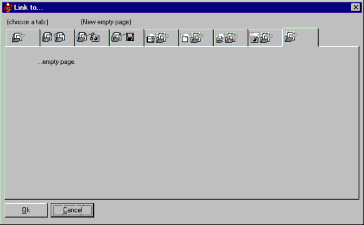
The following window will show:
In this window CDFrontEnd lists all pages found in the current presentation. So, for the moment, we have one page only. As we want to link to a new page (will be “Page 1”), we have to choose the last tab (”link to a new empty page”):
Let’s press OK.
What’s happened? CDFrontEnd has created a new page, the page #1 (as you can see from the white box in the bottom of the window). We can give this page a name, we can select a background, and so on, with “Format >Page properties”.
Other easy software from Visual Vision:
CD FrontEnd software makes it easy to write, page, edit, protect and distribute any kind of information on CD, DVD